Self-hosted time tracking
for teams that own their hours
Run it on your hardware. Bill clients, run reports, and keep the database next to your other internal systems.
TimeTracker is a GPL-3.0 web app for timers, projects, invoicing, and audit trails on SQLite or PostgreSQL—no per-seat license, no vendor sitting between you and your billable data.
100% free · GPL-3.0 · no signup required to try the demo
From zero to tracking in 3 steps
Ship a private instance, invite collaborators, and invoice from the same UI you track in—usually in one afternoon.
Deploy with Docker
Bring up the stack with docker compose on a VPS, homelab, or CI runner—same image you will run in production.
Invite your team
Add admins, managers, and contributors with RBAC, shared clients, and project visibility—without a spreadsheet of seat renewals.
See team featuresTrack & invoice
Start timers or manual entries, roll hours into line items, then send PDF invoices with status tracking in one workflow.
Try it liveWhat is TimeTracker?
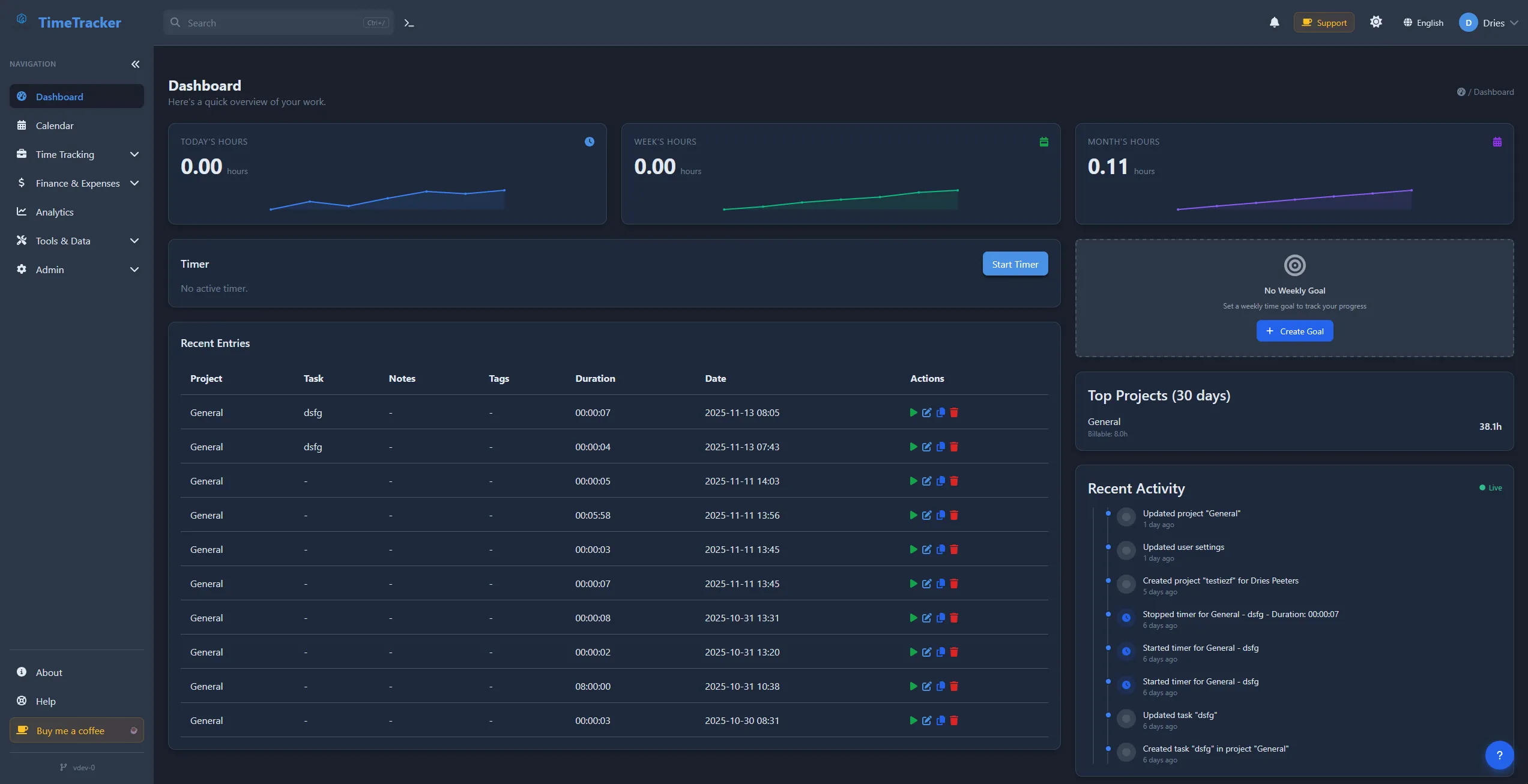
It is the web UI and API for everything from solo freelance retainers to multi-team shops: timers, Kanban, expenses, mileage, and client-ready invoices under your domain. When GDPR, SOC questions, or client contracts say “no external time SaaS,” you still get a modern product experience. Try the live demo →
Self-hosted
Your data, your server
Open Source
Free to use & modify
Feature-rich
120+ features included
Privacy-focused
Complete data control
Key Features
One codebase for capture, reporting, and billing—so finance and delivery teams stop reconciling exports from three different tools.
Smart Time Tracking
One-click timers, persistent server-side tracking, idle detection, and manual entry options.
Project & Task Management
Unlimited projects and tasks, client management, Kanban boards, and budget tracking.
Professional Invoicing
Generate invoices from tracked time, export to PDF, multiple currencies.
Analytics & Reporting
Visual dashboards, detailed reports, CSV export, and budget forecasting.
Multi-User & Security
Role-based access control, self-hosted security, and audit logs.
Financial Management
Track expenses, payments, mileage, and multiple currencies.
Common questions
Short answers from our FAQ—see the full FAQ for detail.
Is TimeTracker really free and open source?
Yes! TimeTracker is completely free and open source, released under the GPL-3.0 license. You can use it, modify it, and distribute it without any cost. There are no hidden fees, subscriptions, or premium features locked behind a paywall.
Do I need technical knowledge to set up TimeTracker?
Basic technical knowledge helps, but TimeTracker is designed to be easy to deploy. If you're comfortable with Docker, you can have it running in minutes. We provide comprehensive documentation and step-by-step guides to help you get started, even if you're not a developer.
What are the system requirements for self-hosting?
TimeTracker has minimal requirements. You need a server with Docker support, at least 512MB RAM, and a few GB of storage. It works on Linux, Windows (with WSL), and macOS. The application uses SQLite by default, but you can also use PostgreSQL for larger deployments.
Can I use TimeTracker for multiple clients or projects?
Absolutely! TimeTracker supports unlimited projects, tasks, and clients. You can organize your work by client, project, or task, track time for each separately, and generate invoices for specific clients or projects. Perfect for freelancers and agencies managing multiple clients.
How does the invoicing feature work?
TimeTracker's invoicing feature lets you generate professional invoices directly from your tracked time. You can select specific time entries, add expenses, set hourly rates, and export invoices as PDF. The system tracks invoice status (draft, sent, paid) and supports multiple currencies.
Self-Hosted by Teams Worldwide
Teams adopt TimeTracker when SaaS renewals, data residency clauses, or per-seat math stop making sense—and they still want timers, reports, and invoices in one place.
Ready to own your time-tracking data?
Spin up the live demo (no signup), or deploy your own instance in 5 minutes with Docker.
100% free · GPL-3.0 · no credit card · no signup